Yes, a Knocki is built to turn an ordinary surface into a touch control. You stick or mount it on a table, wall, door or window, then assign actions to tap patterns in its free app. The seller says it recognizes up to 10 gestures on one surface, and whether it fits your home comes down to whether the lights, TV, thermostat or phone you want to control can be reached through the platforms it supports.
Disclosure: This article may contain affiliate links. If you click a link and make a purchase, we may receive a commission at no additional cost to you.
| What it is | A small battery-powered Wi-Fi device that turns a surface into a touch control |
| Seller | Knocki, which says it was invented, developed and assembled in Texas; the iPhone app lists Haptic, Inc. as developer |
| Starting price | $99.00 for one Knocki Original (see the price section) |
| Warranty | 3 Year Warranty, listed on the Original |
| Shipping | Free shipping in USA, according to the seller |
| Power | AAA batteries included with the Original; optional USB-C Turbo Adapter at $19.00 |
| Setup | Free companion app for iOS and Android; needs Wi-Fi |
| App rating | 3.3 out of 5 from 9 ratings on the App Store |
| Support | Knocki support email |
| Product Page | Knocki product page |
What is a Knocki?
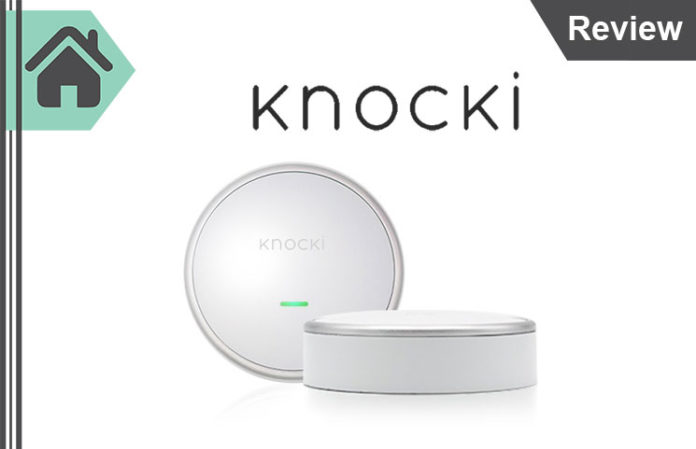
A Knocki is a small wireless smart device. The seller describes it as a way to transform ordinary surfaces into touch controls for your favorite functions. You don’t wire it in. You mount it, pair it through the app, and then tap that surface in patterns you define, with each pattern running its own action.
The name points to the core idea: you knock or tap, and the device reads the pattern. If you searched for knocking in engines, cricket bats or song lyrics, this page covers only the Knocki device.
Does a Knocki really make any surface smart just by tapping?
The seller says yes. Knocki is marketed to work on walls, tables, doors, counters, windows and more, and the homepage says one table, wall or nightstand can control up to ten different actions.
Here is how the seller describes the design. Knocki connects over built-in Wi-Fi, which the seller says “penetrates through solid surfaces and even thick walls.” Once it is set up, it works over Wi-Fi even when your phone is off. The app is where you assign actions. A second mode, sensor mode, responds to any vibration instead of specific tap patterns, and you can adjust its sensitivity.
How do you mount a Knocki?
Knocki can be mounted on, under or behind a surface. The seller says you can hide it so “only you know it’s there,” or mount it in plain sight. Its mount is described as one that “won’t damage surfaces,” and the homepage says you just stick it on. The Original includes one bracket, four 3M Command Strips and two screws. For rough surfaces, the seller sells an Extra Mounting Kit for $15.00 with four Command Strips and two screws.
How do you set up a Knocki?
The seller says setup takes a few minutes. The homepage and app steps run in this order:
- Take the Knocki out of the box and insert the AAA batteries, which come with the Original.
- Pick a spot, or select a surface to attach it to.
- Download the free Knocki companion app for iOS or Android and connect the device to your Wi-Fi.
- Assign your favorite actions and set your tap patterns.
Setup is not smooth for every buyer. One 2023 App Store reviewer said the setup steps skipped turning the device on, and a 2022 reviewer could not connect to Wi-Fi. Both reviews are in the ratings section below.
What can a Knocki control?
The seller says Knocki works with many of the leading smart home platforms and devices, and that it works out of the box with no smart home at all, as long as you have Wi-Fi. Without any smart devices, the homepage lists actions such as finding a lost phone, sending a notification, detecting door knocks, knowing when mail is delivered, and monitoring drawers and cabinets.
The App Store listing names these platforms, and the app’s release notes add detail on how each one connects:
| Platform | What the sources say |
|---|---|
| Amazon Alexa | Named on the App Store listing. The 1.65.2 note (06/13/2023) said the Alexa integration was then available to beta testers. |
| IFTTT | Named on the App Store listing. |
| Philips Hue | Named on the listing. Version 1.68.0 (12/20/2023) moved accounts to Philips’s new Hue API, so you need to relink your Hue account in the app. |
| LIFX | Named on the listing. A 2019 App Store reviewer said group and scene selection was limited. |
| TP-Link | Direct integration in 1.70.0 (05/03/2024), expanded to light switches and smart bulbs in 1.71.0 (07/06/2024). |
| Sonos | Direct integration in 1.70.0 (05/03/2024). |
| Honeywell | Honeywell Lyric Thermostat added in 1.51.4 (08/26/2021); direct Honeywell integration in 1.71.0 (07/06/2024). |
| Ecobee | Direct integration in 1.71.0 (07/06/2024). |
| Schlage | Door lock integration in 1.16.0 (05/28/2020): you lock or unlock with a secret knock, and unlocking requires two-factor authorization. |
| Home Assistant | In beta since 1.73.0 (01/21/2025). |
Does a Knocki listen to you? Is it better than voice control?
The seller says Knocki has no microphones: “Knocki doesn’t use microphones, so your privacy is built-in.” Its argument against voice control rests on three points. Smart speakers’ microphones are always on and “can potentially listen in,” voice control can misunderstand you in noisy rooms, and talking to a device late at night or during a conversation can disturb others.
That is the seller’s case for tapping over talking. If privacy is your main reason to buy, read the app’s privacy label in the next section before you decide.
What does the Knocki app do, and what does it need?
The Knocki app on the App Store is free. It sets up the device, connects your smart devices and services, and lets you create custom gestures and “task lists” that run several actions at once. The listing’s examples are: tap your nightstand to turn off the lights, tap your coffee table to boot up the TV, and tap your front door to lock it and turn off the house lights.
The App Store listing gives these requirements: iPhone and iPod touch need iOS 13.0 or later; iPad needs iPadOS 13.0 or later; Mac needs macOS 11.0 or later and an Apple M1 chip or later; Apple Vision needs visionOS 1.0 or later. The app is 77.9 MB, in English, rated 4+.
The developer’s App Store privacy label lists data “not linked to you”: contact info (email address), usage and product interaction data, diagnostics, and coarse location.
Knocki app version history
The App Store page lists version 1.73.0, dated January 21, 2025, as the latest. These release notes show how the app has changed:
| Version and date | What the release notes say |
|---|---|
| 1.16.0, 05/28/2020 | Schlage door lock integration; unlocking requires two-factor authorization |
| 1.51.4, 08/26/2021 | Honeywell Lyric Thermostat, TP-Link Kasa toggle, sleep mode task, adjustable sensitivity for sensor mode |
| 1.62.0, 11/29/2022 | Users can delete their account from the app |
| 1.68.0, 12/20/2023 | Philips Hue account moved to the new API; relink Hue in the app |
| 1.70.0, 05/03/2024 | App design refresh; direct Sonos and TP-Link Kasa integrations, and the older connections through Yonomi stop working |
| 1.71.0, 07/06/2024 | Direct Honeywell and Ecobee integrations; TP-Link switches and bulbs; USB-C adapter support; simpler Wi-Fi reconnection |
| 1.73.0, 01/21/2025 | Home Assistant in Beta |
Knocki Home Assistant
Home Assistant support arrived as a beta in version 1.73.0. The release note says it “still has a few rough edges” and asks users to request beta access by emailing Knocki support email with the email address tied to their Knocki account.
Knocki login
You manage your Knocki devices, tasks and account inside the app. Version 1.62.0 added the option to delete your account there. If you can’t get into your account, email Knocki support email.
Knocki Food: is there a food product?
The homepage’s product list shows Knocki devices and accessories. The only food link in the app’s history is a Domino’s pizza order task, announced as “Coming Soon” in 1.16.0 (05/28/2020) and listed as “Place a Domino’s Pizza Order!” in 1.52.2 (02/17/2021).
What does a Knocki cost?
Prices as of November 2, 2026; this is desk research, not hands-on testing, and prices and bundles change, so check today’s figure at checkout.
| Package (seller’s name) | Price | What the seller lists |
|---|---|---|
| Knocki Original | $99.00 | 1 Knocki, 1 mounting bracket, 4 3M Command Strips, 2 screws, AAA batteries included, free shipping in USA, 3 Year Warranty |
| 3 Pack (labeled “Most Popular”) | $229.00 | 3 Knocki, 3 mounting brackets, 12 3M Command Strips, 6 screws |
| 5 Pack (labeled “Best Value”) | $329.00 | 5 Knocki, 5 mounting brackets, 20 3M Command Strips, 10 screws |
| USB C Turbo Adapter (labeled “New!”) | $19.00 | The seller says it “instantly activates Turbo Mode for instant response times, while also providing battery-free convenience” |
| Extra Mounting Kit | $15.00 | 4 3M Command Strips, 2 mounting screws (for rough surfaces) |
| Product Page | Knocki product page | |
Each pack scales its brackets, Command Strips and screws with the number of devices, as listed above. If you are covering one table or one door, the Original is the single-device route. Choosing the 3 Pack or 5 Pack depends on how many surfaces you want to make tappable.
Power: batteries or the Turbo Adapter
The Original runs on AAA batteries, and the seller says they come in the box. The USB-C Turbo Adapter is an optional accessory. The app’s 1.15.0 notes (03/19/2020) list “Activate Turbo Mode via Gesture,” and version 1.71.0 added support for the USB-C adapter. The seller says the adapter gives instant response times and battery-free use.
How do you buy a Knocki, and what is the refund policy?
Buy from the Knocki homepage or the product page above. The seller lists free shipping in the USA on the Original and a 3 Year Warranty. Before you pay, find the return window on the checkout page and email Knocki support email to get the refund and warranty terms in writing. Keep your order confirmation and the terms you receive.
The app’s privacy label and the seller’s product listings do not mention a subscription. Still, check checkout for any recurring charge, and check the shipping and tax lines before you confirm.
Is a Knocki legit? Who makes it?
Knocki presents itself as a Texas company. The homepage says the product is “proudly invented, developed, and assembled in Texas” and that the company is “a graduate of the Techstars Austin Accelerator.” The iPhone app is listed under developer Haptic, Inc., and the app’s copyright line reads “Knocki.” The homepage also carries short quotes from reviewers and press.
To keep your purchase safe:
- Buy through knocki.com, and check the address bar before you enter payment details.
- Match the support address against Knocki support email before you send anything sensitive.
- If a reseller offers Knocki at a different price, compare the seller name and warranty first.
- Check the checkout total, including shipping and tax, before you confirm.
What do App Store reviewers say?
The app has 9 ratings and averages 3.3 out of 5. The reviews are mixed:
| Date | Review title | What the reviewer says |
|---|---|---|
| 04/21/2019 | Well designed app but integration needs work | Praises the product’s build quality. Says the LIFX integration lacked the “All” group and scenes, and that responses took about 3 to 5 seconds. |
| 03/03/2022 | Cool concept bad product | Calls the device “a quality device” but says the reviewer could not connect to Wi-Fi. |
| 12/25/2023 | New updates are 🔥 | Says recent updates “increase usability and functions.” |
| 12/29/2023 | Garbage | Says the setup instructions skipped the step of turning the device on, and that the app’s steps did not match the instructions. |
Who is a Knocki for, and who should pause?
| Good fit if | Pause and check first if |
|---|---|
| You want to control lights, a TV or a phone from a table, wall or nightstand | Your devices are on platforms the app does not list |
| You rent and want stick-on mounting, which the seller says won’t damage surfaces | You need Home Assistant out of beta |
| You have reliable Wi-Fi where you plan to mount it | Your Wi-Fi is weak at the spot you want |
| You want to avoid voice commands at night or in a noisy room | You need a particular accessibility feature; ask support which features the app supports |
| You want several tap patterns on one surface | You plan to mount it in a wet area; the seller’s example is outside the shower glass |
The seller’s Enabled Living example says limited mobility “shouldn’t mean limited ability,” and that a few taps can brighten more than one room. Treat that as the seller’s use case and test the setup at your own home.
Could I do this myself with cheaper gear?
You can, and sometimes the simplest route is best. The seller argues that most smart buttons “do exactly one thing,” while a Knocki reads up to 10 gestures on one surface. Compare the routes this way:
| Option | Best for | Trade-off |
|---|---|---|
| Knocki Original ($99.00) | One surface with several tap patterns | Needs Wi-Fi and a supported platform |
| Knocki 3 Pack ($229.00) or 5 Pack ($329.00) | Several surfaces across rooms | Costs more up front |
| Voice control through a smart speaker | Hands-free commands when the room is quiet | The seller says it can be noisy, disruptive and always on |
| Existing switches, remotes or phone app | Nothing new to buy | No tap-on-surface control |
If your lights already work from a wall switch or a remote, there is no need to add a device. A Knocki earns its place when you want one spot in the room to do the job.
If you are comparing other home gadgets, see our Hayo Virtual Remote Controls Review for a smart home remote, our Defender 24/7 Review for a personal protection system, and our Smart Polish Pro Review for a waterless wash and wax line.
Before you order
- Check checkout for today’s price, shipping, tax and any recurring charge.
- Email Knocki support email for the return window and warranty terms in writing before you pay.
- Confirm your lights, TV, thermostat or lock are on a listed platform, and ask about any device you need that is not listed.
- Confirm your Wi-Fi reaches the spot where you plan to mount the device.
- Ask support which accessibility features the app supports if this is for someone with limited mobility.
- Pick a pack by how many surfaces you want to use, not by which one is labeled popular or best value.
For the shorter version of these points, see the knocki review.
By InfinitePowerSolutions.com Technology Desk