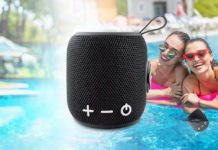
A HEOS device is Denon’s multi-room audio system: it lets you control compatible speakers, receivers, and audio components over your home network from one app. If you want music in more than one room without rebuilding your whole setup, HEOS is a practical fit—especially if you already own compatible Denon or Marantz gear.
HEOS is the name Denon uses for the wireless music platform, rather than an acronym you need to decode. It can bring streaming, Bluetooth, network music, USB music, and connected audio gear into one room-by-room system.
| What it does | Controls compatible multi-room audio through the HEOS app |
|---|---|
| Connection options | Wi-Fi, Ethernet, Bluetooth, USB, and analog input on supported models |
| Best for | Adding music to several rooms or tying speakers into a Denon or Marantz system |
| Product Page | HEOS 3 product page |
Is HEOS still available, or was it discontinued?
HEOS remains a platform used in Denon products, while some original standalone HEOS speakers are now archived. Denon labels the HEOS 3 as archived and points shoppers toward the Denon Home 250, which it describes as powered by HEOS with Wi-Fi and Bluetooth. That matters if you are shopping now: look for “HEOS Built-in” or “Powered by HEOS” in the model details instead of assuming every older HEOS speaker is still sold new.
The original lineup included compact speakers, larger tabletop speakers, a Link streaming component, an Amp for passive speakers, soundbar options, and a wireless subwoofer. Audio Advice also describes HEOS integration with Denon and Marantz receivers, so a receiver may be your simplest starting point if your TV room already has one.
What devices work with HEOS?
HEOS-compatible gear can include HEOS speakers, supported Denon and Marantz receivers, network audio components, soundbars, and amplifiers. A HEOS 3, for example, has Wi-Fi, Ethernet, Bluetooth, USB, and a 3.5 mm analog input. Denon lists support for WAV, ALAC, FLAC, AAC, MP3, WMA, and DSD playback on that model, with music available from its USB port locally or across the HEOS network.
| What you have | How it can fit a HEOS system |
|---|---|
| HEOS wireless speaker | A room-by-room speaker you can group with other compatible HEOS devices |
| Denon or Marantz receiver | A receiver-based room controlled from the same HEOS ecosystem when the model supports it |
| Passive speakers | Can work through a HEOS Amp or a compatible receiver |
| Turntable or analog source | Can connect through the analog input on a compatible component |
| USB music library | Can play through a supported device’s USB connection |
For a broader look at connected home gear, see our Smart Tech, Audio and Future Technology guide.
How do you connect a HEOS speaker to Wi-Fi?
Start with the speaker plugged in, then install the HEOS app on your phone or tablet. Select the app’s Add Device path and follow its prompts to join the speaker to your home network. The HEOS 3 package included a 3.5 mm setup cable and an Ethernet cable, giving you a direct setup route as well as wireless networking.
- Place the speaker where it will stay and connect its power adapter.
- Open the HEOS app and choose the option to add a device.
- Connect the supplied setup cable when the app asks for it, then select your home Wi-Fi network.
- Name the room, choose music, and repeat for each additional compatible room.
- Drag rooms together in the app when you want the same music playing around the house.
Digital Cinema describes HEOS as a Wi-Fi-based control system for supported Denon and Marantz equipment, with the app available on iOS, Android, and Amazon Kindle Fire. Its guide also notes that compatible devices can stream over Wi-Fi after initial setup.
Why is the HEOS app not finding my device?
Begin with the simple match: the phone running the app and the HEOS device need to join the same home network. Confirm the speaker has power, then return to Add Device and use the supplied setup cable if the model includes one. Ethernet is another option on models with a wired network jack, such as the HEOS 3.
If the device appears but music will not start, check the selected room and source inside the app. HEOS lets you choose streaming services, Bluetooth, a network library, USB storage, or an analog input depending on the device. A source that works in one room may need to be selected again for another room.
Is Denon HEOS any good for whole-home audio?
HEOS makes the most sense when you want one control point for a mix of speaker sizes and existing home-theater equipment. Audio Advice highlights the ability to use speakers, an amplifier, a streaming component, soundbars, and compatible Denon or Marantz receivers in the same ecosystem. That flexibility is the central advantage over buying a single Bluetooth speaker for each room.
For sound, the right answer depends on the device and the room. The HEOS 3 was designed for smaller spaces such as bedrooms, offices, and kitchens; its dual full-range drivers and compact shape can sit vertically or horizontally. Larger HEOS speakers and receiver-based rooms suit open spaces or a TV area better.
HEOS vs. Sonos: which is better for you?
Choose HEOS when you want multi-room music to connect with compatible Denon or Marantz receivers, passive speakers through an amp, or physical sources such as USB and analog inputs. Choose the system whose supported devices match the rooms and gear you already own. Both approaches are built around app control and grouped rooms, but HEOS is especially useful when your home audio plan includes a receiver or a component system.
That is also why Denon is often considered a higher-tier home-audio choice: the HEOS ecosystem extends beyond a tabletop speaker into receiver and component setups. You do not need to buy every piece at once; one compatible room is enough to start, then you can add rooms when it helps.
How much does a HEOS device cost?
Prices shown October 20, 2026; check the checkout for today’s price. The original HEOS Amp was listed by Audio Advice at $499, while Focus Camera listed a Denon HEOS 7 Series 2 speaker at $399.99. Older HEOS models and condition can vary widely, so confirm whether you are buying an archived model, a current HEOS-powered model, or a used unit before comparing prices.
| Item | Listed price | What it is for |
|---|---|---|
| HEOS Amp | $499 | Drives a pair of passive speakers; Audio Advice describes 100 watts per channel |
| HEOS 7 Series 2 | $399.99 | Large wireless speaker with Wi-Fi, Bluetooth, Ethernet, USB, and AUX input |
A multi-room system can grow room by room, so price the first room, any speaker stands or cables, and the next room you may add later. Our streaming device total monthly cost checklist can help you separate the hardware purchase from any service subscriptions you choose.
What should you know about shipping and returns?
Retail terms depend on where you order. Focus Camera states that most items can be returned within 30 days for a full refund and says orders placed before its stated weekday cutoffs ship the same day; it also says it offers free standard shipping on thousands of continental U.S. items. Before you place an order, put the exact model, return window, return shipping cost, condition requirements, and delivery estimate in writing from the seller.
Before you order a HEOS device
- Check that the exact model says HEOS Built-in or Powered by HEOS.
- Confirm your phone and planned device can use the same home Wi-Fi network.
- Match the speaker size to the room: compact for a bedroom or office, larger hardware for an open space.
- If you use a receiver, turntable, USB library, or passive speakers, choose a model with the inputs you need.
- At checkout, confirm the model condition, price, shipping date, and return terms.
By InfinitePowerSolutions.com Technology Desk