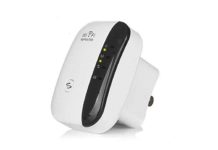
AmpliFi WiFi is a whole-home mesh system built around a router and plug-in mesh points, so it can carry your connection into rooms where a single router struggles. For a large home with thick walls, floors, long hallways, or dead zones, the AmpliFi HD approach is designed to keep your devices on one network while you move around the house.
The original AmpliFi HD package paired a dual-band router with two wall-plug mesh points. It is a practical fit when your current router reaches most of the home but drops out in a few important places—such as a bedroom, basement, office, or kitchen.
What does an AmpliFi WiFi system include?
The AmpliFi HD system described by PCMag’s AmpliFi HD review includes a router, two plug-in mesh points, a power supply, Ethernet cable, and quick-start guide. The router has four Gigabit LAN ports, one WAN port, and a front display that can show time, network details, and throughput.
| Part | What it does | What you need |
|---|---|---|
| AmpliFi router | Connects to your modem and creates the home network | An Ethernet connection to your internet service |
| Mesh point | Relays coverage farther into the home | A wall outlet in a place that still receives a usable signal |
| Mobile app | Names the network, sets the password, and shows connected devices | An iOS or Android device |
The HD router uses 802.11ac Wi-Fi on both 2.4GHz and 5GHz bands. It supports theoretical speeds of up to 450Mbps on 2.4GHz and 1,300Mbps on 5GHz. Those are Wi-Fi link ratings, not a promise of the speed from your internet provider.
How do you set up AmpliFi WiFi and its mesh points?
Start by connecting the AmpliFi router to your modem with the Ethernet cable and powering it on. Install the mobile app, choose the setup option, then name your Wi-Fi network and create a password. PCMag reports that the app recognizes the router during this process and also provides network, guest-network, device, and diagnostic controls.
- Place the main router near your modem, where it has room and a stable power outlet.
- Connect the router’s WAN port to the modem.
- Use the app to create your Wi-Fi name and password.
- Plug the first mesh point into an outlet between the router and the weak-signal room.
- Watch the mesh point’s blue signal LEDs and move it if the connection is weak.
- Repeat with the second mesh point, then walk through the areas that used to lose coverage.
The AmpliFi HD mesh-point antenna attaches to its outlet base with a magnetic ball-and-cradle connection, so you can adjust its direction. The published setup description places points about 30 feet from the router in separate parts of the home; your walls and floors determine the useful placement in your space.
Plug-in extenders are not always instant fixes. An extender needs a strong enough connection back to the router before it can pass that connection along. This is the same placement principle worth keeping in mind when comparing a standalone repeater, including the options covered in this NetBoost WiFi repeater guide.
How much speed do you lose with mesh WiFi?
A mesh point can be slower than a device connected directly to the router because it must communicate with the router as well as your phone, TV, or laptop. PCMag’s AmpliFi HD testing recorded 450Mbps on the router in a same-room 5GHz test, while the two mesh points recorded 193Mbps and 189Mbps in close-proximity tests. At 30 feet, the router recorded 223Mbps and the mesh points recorded 168Mbps and 162Mbps.
Those figures are useful as a picture of one test setup, not a speed guarantee. The important decision is whether the mesh point gives you a solid usable connection where you had little or none before. A closer point with a strong backhaul connection is usually more useful than a point placed at the very edge of the router’s range.
Is a mesh router better than a WiFi extender?
Choose a mesh system when you want one network across several rooms and want devices to move between the router and nodes without manually switching networks. PCMag explains that mesh nodes work as parts of the same network, while many traditional range extenders create a second Wi-Fi network that you may need to manage separately.
| If your problem is… | Better starting point | Why |
|---|---|---|
| One small dead spot near the router | Range extender | A simple add-on may cover a single room. |
| Several weak areas across the home | Mesh system | Multiple mesh points are designed to extend one network. |
| You want wired devices near the main router | AmpliFi HD router | The HD router has four Gigabit LAN ports. |
| You need more network controls | Compare router features first | PCMag notes that the HD system lacks QoS and parental-control settings. |
For another router-focused option, see this Norton Core WiFi router overview. The useful comparison is not the name on the box; it is whether you need one stronger router, a single extender, or coordinated coverage in several rooms.
What can AmpliFi HD do around a home?
The HD system was positioned for larger homes with obstructing walls, floors, and structures. PCMag lists six high-density long-range antennas and up to 20,000 square feet of claimed coverage for the HD configuration. It also reports separate SSIDs for the two Wi-Fi bands, band steering, guest-network settings, port forwarding, MAC address cloning, and DHCP controls.
If you are extending Wi-Fi to a detached building about 100 feet away, begin by mapping the route and checking whether the building still receives a stable signal where you would place the first relay point. A mesh point belongs where it can still communicate well with the main system; for a building-to-building connection, confirm the equipment and installation plan with the seller before ordering.
Can you leave a WiFi extender on all the time?
Mesh points are made to stay powered as part of the network. The AmpliFi HD app offers Night Mode for the router display and LEDs, while the network can remain available for your connected devices.
Is AmpliFi HD discontinued, and what about AmpliFi WiFi 7?
AmpliFi HD is an older 802.11ac design, and the information here concerns that HD system rather than a newer Wi-Fi 7 product. Before buying hardware for a new installation, confirm the exact model, current availability, support status, included mesh points, and compatibility with your internet plan at checkout.
What did AmpliFi HD cost?
Prices as of October 20, 2026: the historical AmpliFi HD MSRP reported by PCMag was $349, and its review card showed a $174.99 retailer listing. Availability and pricing can change, so confirm today’s total, shipping charge, return window, and seller contact route before placing an order.
| Configuration | Historical listed price | Claimed coverage |
|---|---|---|
| Standard AmpliFi system | $199 | Up to 10,000 square feet |
| AmpliFi LR system | $299 | Up to 20,000 square feet |
| AmpliFi HD system | $349 MSRP | Up to 20,000 square feet |
SlashGear’s launch coverage lists those original Standard, LR, and HD configurations and prices. The right model starts with the size and layout of your home, then the number of rooms where you need a dependable connection.
Before you order
- Measure the rooms, floors, and problem areas you need to cover.
- Confirm the exact AmpliFi model and Wi-Fi generation in the listing.
- Check what is in the box: router, mesh points, power supply, and Ethernet cable.
- Confirm the delivered price, shipping, return terms, and support contact before checkout.
- Choose outlets for mesh points that sit between the router and the weak-signal area, not beyond the usable signal.
By InfinitePowerSolutions.com Technology Desk