
If you’re asking whether Ryoko Pro works, the short answer is that it’s a pocket WiFi device the maker says connects to the closest mobile tower in 133 countries and shares that connection with up to 10 devices. Whether it works for you depends on the mobile signal where you are, how much data you keep on its SIM, and whether the plan and return terms suit your trip.
Disclosure: This page carries one affiliate link. We may earn a commission if you buy through it. This costs you nothing extra.
You may also see this searched as ryokopro. It’s the same name, and this page uses the maker’s spelling, Ryoko Pro. The seller’s support list also refers to a “Ryoko Muama,” so match the name on the order page with the box when it arrives.
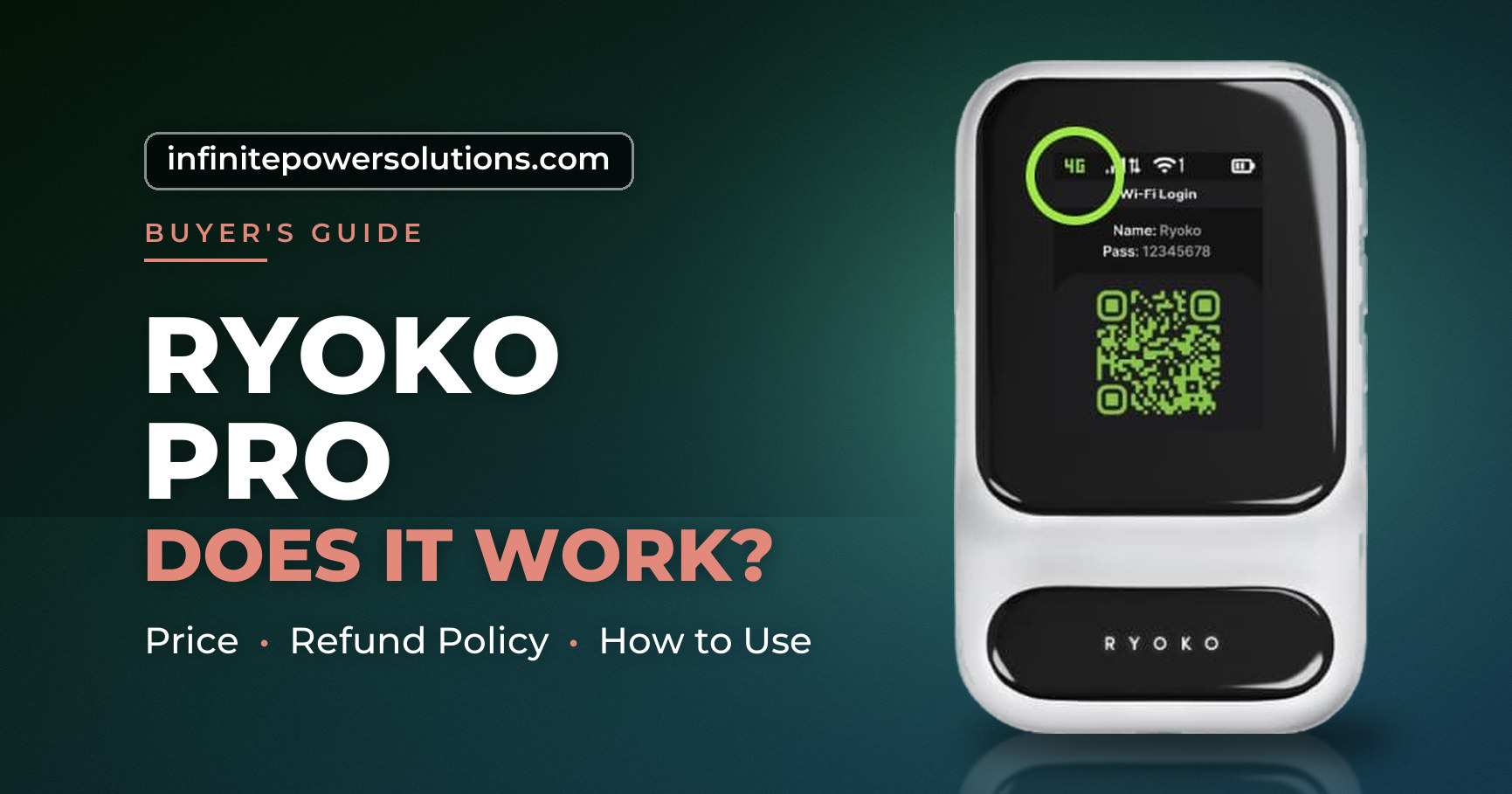
What does the maker say Ryoko Pro does?
The maker’s homepage describes Ryoko as a portable WiFi hotspot that gives you internet almost anywhere and lets any device connect. It says Ryoko “automatically connects to the closest internet tower in 133 countries” by working with “leading global internet providers.” The feature list includes an ad blocker, support for 10 devices, USB-C charging, “Up to 8 hours of WiFi life” and a connection of “up to 150Mb/s.” The About Us page names the problems it is built to solve: public WiFi, roaming fees, a drained phone battery and data security.
This is desk research, not a hands-on test, so the performance figures above are the maker’s. The sections below set each claim beside the terms and support pages, so you can see what it depends on.
Does Ryoko work anywhere, and what network does it use?
The maker says Ryoko works in 133 countries and that it finds the nearest network on its own. The terms say Ryoko works with a Viaota-issued SIM that comes with the device, and that you cannot use a third-party SIM in it.
When you arrive, the seller’s support article says to turn Ryoko on and wait for the 4G icon to turn green before relying on it for navigation or ride apps, which may take up to 20 minutes. The same article says placing it near a window, rather than deep inside a building, helps the signal.
Does Ryoko do 5G?
The Ryoko homepage does not show 5G. The support article refers to a 4G icon, so 4G is the network the seller’s own pages describe. If you need 5G, ask support for the network spec before you order.
How much does Ryoko Pro cost?
Prices as of November 26, 2026. The order page’s headline reads “Only $0.66/day for unlimited data” and offers two subscription plans, which you can compare at the Product Page before you tick the box.
| Option | What the order page shows | How it bills |
|---|---|---|
| 6-month subscription plan | Device shown as FREE with a 70% OFF label; $19.99 a month shown | $119.94 once for the first six months |
| Monthly subscription plan | Device $166.50 one-off; $2.22/day for unlimited data | Billed every month; the page says cancel anytime |
The “FREE DEVICE” and “70% OFF” labels are seller displays, not a verified history of normal prices. The six-month plan takes one payment of $119.94 for the first six months, and the sentence about what happens after that is cut off on the order page. Shipping is calculated at checkout. The shipping page says taxes may apply, and that customs duties or import charges may be payable by the recipient where the law requires it.
On delivery, the shipping page says orders are typically processed within 1–2 business days. Its delivery table lists 8–12 business days for the United States, and it calls its timelines illustrative rather than guaranteed.
Do you have to pay monthly for Ryoko, and what does data cost?
Yes, if you choose the monthly option, which bills every month and says you can cancel anytime. The six-month option is the alternative. The device includes a Viaota SIM with 500MB of data for 30 days from activation. The terms say you must activate it within two months of receiving the device, unless the package says otherwise. If you miss that window, the card is deactivated and cannot be activated again, and you’d need a new one, which may carry a fee. After the included data, you top up through Viaota or buy a data plan.
Who makes Ryoko Pro, and is it legit?
The terms say Ryoko is a brand name and registered trademark “used and operated by” ORIAVA INC. The About Us page describes ORIAVA INC as a direct-to-consumer retail company that develops and manufactures gadgets. The terms also say most goods are manufactured and may be delivered from China, so import duties may apply where you live.
The seller lists a US support line, +1 (443) 456-4433, and its privacy policy gives [email protected]. It also publishes terms, returns, warranty, shipping and privacy pages. That is the paperwork you should see before paying. It comes from the seller, though, and it does not prove the device performs on your trip, so test it early in your return window.
What are the refund and warranty terms?
The returns page sets a 60-day window. The details that decide whether you get your money back are in this table.
| Term | What the seller’s pages say |
|---|---|
| Return window | 60 days from receiving your order to start a return |
| Reasons that qualify | Damaged or contaminated package; defective or bad product; wrong item; a change of mind, which the page says is “subject to Testing Allowance and other return conditions set out in Our Terms of Service” |
| How to start | Fill in the contact form with your full name, email and order number, and say why you’re returning it. Support replies within 3 business days with an RMA form |
| Sending it back | Attach the RMA form to the outside of the package and ship with a tracking number; returns without tracking may be refused |
| Condition | Items that are not defective must go back in manufacturer’s condition and original, undamaged packaging. For defective items, contact support before you send anything |
| Refund timing | Within 14 days of receiving and inspecting the return; it can take 3–5 business days to appear on your bank statement, refunded to the original payment method |
| Not refunded | Shipping costs |
| Which orders | Physical products bought on the Ryoko website; purchases from other sellers follow those sellers’ policies |
| Warranty | 2 years from the delivery date for defects, with free replacement. Excluded: physical damage, inappropriate use, a defect that is not a factory defect, or claims after two years. The warranty page mentions an extended guarantee, but does not show how long it runs |
The term to clear up before you open the box is the Testing Allowance.
Is the ad blocker and security part real?
The support article says Ryoko creates your own private, password-protected Wi-Fi network. The maker says its ad blocker stops ads, trackers, malware and phishing sites. The user guide explains that the ad blocker works by blocking network requests to known ad networks or malicious websites. If sites you trust stop loading, the guide says to turn the feature off and try again.
The privacy policy is the other side of the same device. It says the company may share limited internet activity data with advertising and analytics partners, and that you can opt out through the “Your Privacy Choices” link in the site footer. The user guide also says the default username and password for the web management page are both “admin,” so the first setup is the time to change them.
Is Ryoko Pro really worth it, and can you use it as home internet?
That’s your call, but the seller’s pages make the fit clear. The maker’s use list covers weekend escapes, short trips, public places, family travel, RVs and camping, and remote work and conferences. Ryoko suits you if you want to pay for data only when you travel and share one connection across several devices. It suits you less well if you want a home line or want to choose your own SIM.
On home internet, the terms say Ryoko is for personal use and is not suitable for industrial, commercial or professional use. The support article says Ryoko is meant for use like your phone’s data, “rather than as a replacement for a full home or office line,” and that problems start with heavy, around-the-clock use. If a household depends on the connection all day, the seller’s own pages point to a regular home line instead.
To judge the price, compare the plan with what your own carrier charges for roaming on the same trip. Check that number with your carrier before you decide. For more on gadgets like this, see our smart tech guides.
What should you plan around?
| What the maker says | What it depends on, per the seller’s own pages |
|---|---|
| Works in 133 countries | A Viaota-issued SIM only; signal depends on where you are |
| Up to 8 hours of WiFi life | How hard you use it; the terms say battery life depends on use |
| Up to 150Mb/s | Mobile signal, and the speed is shared when many devices stream at once |
| Up to 10 devices | One shared connection, so each device gets a smaller share under heavy use |
| Ad blocker | Can be switched off if trusted sites stop loading |
| No roaming fees | You pay for data through top-ups or plans |
- Charging: the terms say an inappropriate charging cable might cause battery failure or shorter battery life. The package includes a USB-C cable.
- Accessories: the terms say third-party accessories may damage the device and may void the warranty.
- Battery math: for the runtime math on battery gear, read the portable power station run a space heater guide.
Could you do the same thing yourself?
You could use your phone’s hotspot or a local SIM in a separate device. The maker’s About Us page lists draining your phone battery by sharing your internet as one of the problems Ryoko is meant to avoid. The terms rule out other SIMs in the Ryoko device, so a local SIM means a different setup altogether. Weigh what your phone hotspot costs in battery and data against the Ryoko plan price.
Before you order
- Confirm the name on the order page matches the device in the box, since the support list also says “Ryoko Muama.”
- Ask support in writing how long the Testing Allowance is before you open the box.
- Check that the countries you’ll visit appear on the seller’s country list.
- Check your own carrier’s roaming price so you can compare it with the plan.
By InfinitePowerSolutions.com Technology Desk
The source facts for this page were checked by a person on our team on November 26, 2026.
